


No, not Randy Orton. Although I'm sure that effect would make for an interesting photo with the bone crushing and everything. All hail Triple H! I don't watch WWE. That phase is in the past. I swear.
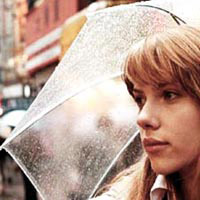
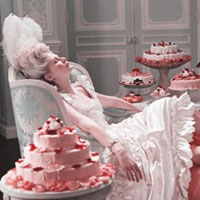
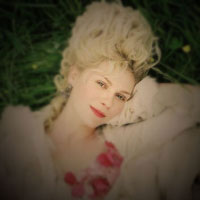
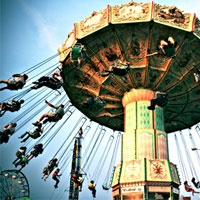
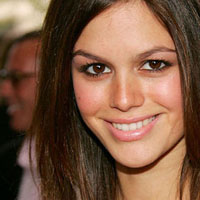
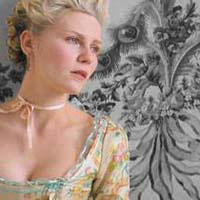
Anyhoo, Michael Orton, yes he is famous for putting two images on top of one another - one blurry, one sharp, one overexposed, one underexposed - creating this almost dream-like photograph. I find it stunning; well done, Orton! The good news is that you don't need film, you've got your friend, Photoshop.
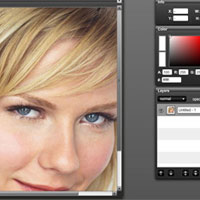
Click the launch video button below to view.
Roll over image to see original.


So that's your lesson of the day, enjoy.







39 Responses
Hi there,
this is an interesting effect but not very new.
I’ve used it for almost 2 years
^^ Bee
Hi, Bee. I never said that it was new. After all it is the *Orton* Effect, not the Kelly Williams Effect. Thanks for the comment!
Would you be willing to take requests for tutorials? I have tried and tried to find good ones that are step by step and until yours, I have had no luck. I LOVED your tutorial!
Thanks, Kendra! I’m so happy that you loved it! I will absolutely take requests. You can e-mail your requests at Kelly[at]photoshopgirl[dot]com Can’t wait to hear from you.
Thanks so much for this tutorial! I used it to create a beautiful pic of my baby niece. Her mom is going to love it, and the tutorial was very easy.
Aww that’s so nice of you, Tamie! I hope she likes it, I’m sure it’s beautiful. Thank you so much for the lovely comment.
Thanks for the great tutorial!
You may want to include a note about the resolution of the photograph you’re working with. I found that the blur amount needed to produce this effect in mine was significantly higher than what you got me started at, but once I figured out the difference between resolutions I was OK. It looks great, thanks so much!
Hi, I am looking for ways to make a part of the picture color while the rest is black and white. For example, if I have a picture of me holding a rose, i want the rose to be in color while the rest is in black and white. Would you please guide me on that or post a tutorial.
Thanks,
Uday
Hey there Melinda, thanks for the suggestion and I’m glad you found the tutorial useful!
Hey Uday! I sure will guide you on how to achieve that effect! Thanks for the request, look for it soon!
How can I see the tutorail and hot can i get a photo to look like a magazine look thanks.
Hey Greg! Just click the Launch Video button. Will you please e-mail me so I can know a little bit more of what you want for your request? Thanks!
kelly[at]photoshopgirl[dot]com
You make the greatest tutorials!
Thanks so much for doing this!!!
OMG, tq so much for showing all these things..love it!
can u show the tutorial how to do the effect like these:
http://www.flickr.com/photos/syahrin/507893907/
http://www.flickr.com/photos/syahrin/1299409799/
http://www.flickr.com/photos/syahrin/339629991/
http://www.flickr.com/photos/syahrin/1749588836/
http://www.flickr.com/photos/syahrin/401743843/
http://www.flickr.com/photos/syahrin/372012664/
u should the see the pics i give.it’s so remarkable!
@Emma: Aww thanks! I truly appreciate that, you’re so sweet!
@Farah: Thank you so much! I’m happy you like them! I’ll be sending you an e-mail shortly so we can talk about your request.
i super love it… its perfect… but i cant view the tutorial step by step…can u show me how?
thnx!;)
Hey there Karen! Thank you so much! And all you need to do to view the video is click the Launch Video button. If you have any other problems let me know. Thanks…enjoy!
Nice effect! BTW, There’s really nothing wrong with watching WWE, but i would swear Randy Orton has the effect in his entrance movie!
Thanks, Kirk!
really really it was wonderful tutorial
i loved it
thank u so much
Thanks, Ibrahim! Come back for more!
Thank you so much!!
This is the best format for tutorials I’ve seen and trust me I”ve seen a lot of them! =]
Thanks LP! I’ve seen a lot too. I thought this format would take out the confusion some tutorials can have. Thanks again, I appreciate it.
hi, Kelly. I’m from Brazil. Your tutorial is very good indeed, but I got a better result blending the top layer into “overlay”. Got much more dramatic.
Good luck and peace out.
;]
Thanks, Fabiao! I’m glad you enjoyed it. I have never tried the top layer in Overlay, but I strongly encourage experimentation. Thanks for the comment!
Love it! And yeah, do you happen to know how magazines achieve the pulling effect? You know, pulling the chin down or elongating a nose, etc.? I saw many videos made for fun, but they never explained what tool they used!
Thanks!
@Lia: Thanks, Lia! I think I know what you’re talking about. If what you’re talking about is what I think it is, then you can achieve effects like that with the liquify tool. Hope that helps!
Thanks for this information
@Rajita: You’re welcome! Thanks for commenting.
Hi Kelly, I’ve been to ur sites hundreds of times for tutorials… Really loved and thankful for it. Just one more request.. You did the Orton Effect, how bout the Dave Hill Effect.. I’ve tried other tutorials, but I prefer your tutorials.
@God’s Gift: Hey there! Thanks for your comment! I know what you’re talking about, but I have never actually tried it for myself. But I am up for the challenge, I’ll be practicing and see what I can come up with in a few days. Check back soon!
Thanks Kelly, ad while you’re at it, how bout Lucis Art as well…
Thanks for your tutorials Kelly Anne! You know, I have been googling for days to find something that makes portrait photos really pretty and in simple, easy to understand terms and your site is by far the best. I really like how the tutorials are interactive… I don’t take things in when I watch a video but simply by having to click here and there you can go at your own pace and actually retain most of it. Well done… I hope you still keep your tutorials coming! Anything that fixes skin and colour is going to keep me coming back! I, like so many I suppose, want to know how to do the movie star look!
As for a Graphic Designer, this tutorial is very important, it like some thing turning out a garbage piece into very useful ones.
Thanks to the Author and the website.
Thank you, I’ve been seeking for information about this subject matter for ages and yours is the best I’ve located so far.
Damn, I thought I had come up with this effect! I regularly do this to my images, and even did a tutorial on it a few years ago.
http://www.youtube.com/watch?v=eQWt3Kx4DGY&list=UUDkIHkCv3HYPQ4Let20I9Ew&index=10&feature=plcp
Goes to show there’s probably nothing original under the sun =(
[...] of links to "how-to"s on the Orton effect. photoshopgirl.com/10/01/the-orton-effect/ [...]
[...] on the inside as well. Here are a couple of links to "how-to"s on the Orton effect. photoshopgirl.com/10/01/the-orton-effect/ [...]