Realistic Film Grain

Wednesday 5 March 2008 @ 12:50 am

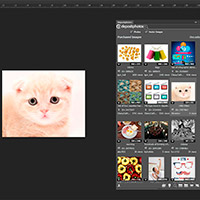
Sometimes you want to go for a more subtle effect on your images, and one of my favorite things to do in this situation is to apply a slight film grain.

Click the Launch Video button below to view.

Before & After

Got a cute baby? Win money!!!


Holga Medium Format Effect

Tuesday 29 January 2008 @ 12:50 am

Ever wanted that beautiful Holga effect but didn’t own a Holga camera? Well now you can! In this tutorial I will show you how to achieve this effect using blending modes, gradients, layer adjustments, etc. Happy Photoshopping!

Click the Launch Video button below to view.

Before & After


Grunge Borders

Wednesday 23 January 2008 @ 12:53 am

Today I am going to show you how to make two different grunge border effects without having to use grunge brushes.

Click the Launch Video button below to view.

Before & After


Adding a Canvas To a Photo

Sunday 20 January 2008 @ 9:18 pm

Photoshop Girl is back and ready for action. I’m starting out with an easy tutorial to get back into the swing of things. This tutorial will show you how to add a simple canvas to any photograph using the Crop Tool.

Click the Launch Video button below to view.

Before & After


News Update #1

Wednesday 5 December 2007 @ 2:18 am

Sorry for the massive delay! I’ve not gone away, I’ll be back. I recently moved and didn’t have internet access for days, which by the way, nearly killed me. I also don’t have a desk and I’m currently hunched over in floor as I type this. And being hunched over in this very floor is not conducive to long hours spent in Photoshop and it’s horribly uncomfortable. But the good news is that you should not wait too much longer for I am finally getting a desk this week. I should have a tutorial up by this weekend. And if I don’t you have every reason to start throwing rocks at me.

In other news, at the turn of the new year you’ll be seeing a lot more of me. And that means for you, MORE TUTORIALS! Photoshop Girl will also receive yet another facelift and I’ll finally put up an about page, since I’ve noticed some of you are curious as to who I am. I just need to get through the holidays because I’ll be gone for half of December in Virginia with my family.

I can’t wait till next year to put out more tutorials and take Photoshop Girl to another level that I am very excited about. Also in early 2008, I’ll be starting up two new websites in addition to PSG that I think you’ll all enjoy. :-) See ya soon!


Remove Something From An Image

Friday 2 November 2007 @ 12:00 am

This tutorial will show you how to remove something from an image. As you can see below, I decided to remove the two men standing behind the sign.

Click the Launch Video button below to view.

Before & After


Selected Color

Thursday 25 October 2007 @ 7:30 pm

In this tutorial I will show you how to make a certain part of a photo color and the rest black and white. I have loved this effect ever since I saw the dashing and very handsome Spider-man…ahem…I mean Tobey Maguire in the movie Pleasantville, which is great by the way. I’ve decided to use the history brush for this because I think it’s easier than making a lot of complicated selections.

This is the first tutorial that I’ve done for a request, so feel free to leave your own request in the comments or send me an email to kelly[at]photoshopgirl[dot]com. Enjoy!

Click the Launch Video button below to view.

Before & After


Retro Effect

Tuesday 16 October 2007 @ 4:05 pm

Sometimes it’s cool to make a photo look a little older, click the Launch Video button below for a quick and easy way to achieve this effect!

Before & After


Halftone Border

Monday 8 October 2007 @ 2:54 pm

This photoshop tutorial shows you how to achieve the halftone effect on your borders, producing a fun and interesting image. Scroll down and click the Launch Video button to get started!

Before & After


The Orton Effect

Monday 1 October 2007 @ 1:04 am

Third post, ok I’m going to stop counting now. Might as well end on a favorite number, right? Today I have decided to do the Orton Effect, an effect created by Michael Orton. No, not Randy Orton. Although I’m sure that effect would make for an interesting photo with the bone crushing and everything. All hail Triple H! I swear I don’t watch WWE. That phase is in the past. I swear. Anyhoo, Michael Orton, yes he is famous for putting two images on top of one another - one blurry, one sharp, one overexposed, one underexposed - creating this almost dream-like photograph. I find it stunning; well done, Orton! The good news is that you don’t need film, you’ve got your friend, Photoshop.

Before and After


So that’s your lesson of the day, enjoy.


«« Previous Posts