Happy New Year everyone! To kick things off this year, we’ll be learning a technique that produces one of oldest effects in digital imagery, rounded corners.
Be prepared to learn something new today, and I am not only talking about the Sepia Effect in Photoshop.
One of my favorite things to do is stay up all night and watch music videos on VH1, although they repeat way too much. But the point is that you can gain a ton of inspiration just by watching them.
Here’s neat little effect for you today, The Zoom Effect. People have been doing this for years with zoom lenses on their cameras and I thought, well that can be done in Photoshop too.
This tutorial shows you yet another way how to take your photos from blah to amazing in just a couple quick steps.
Today, I am showing you a technique to make a soft focus effect in your photos. It’s a fun little trick and makes your photos look kind of dreamy.
Need to change the color of someone’s shirt so it’s more flattering? Want to change those blue web icons to pink? Admit it, it’s your favorite color! Well worry no more, this tutorial is here to solve that problem.
Have you ever thought “this is a good photo but it’s a little dull”?
This is a technique I like to use to add some pop to an image that can really make it stand out.
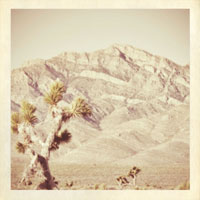
Sometimes you want to go for a more subtle effect on your images, and one of my favorite things to do in this situation is to apply a slight film grain.