

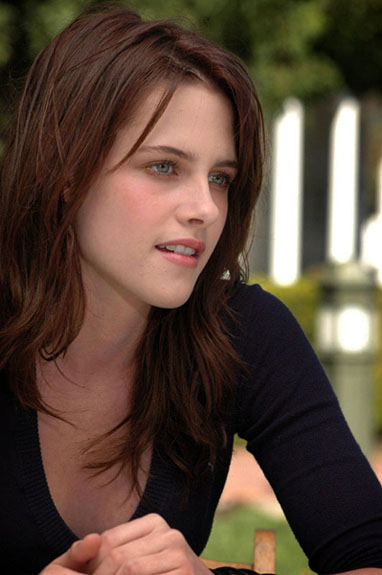
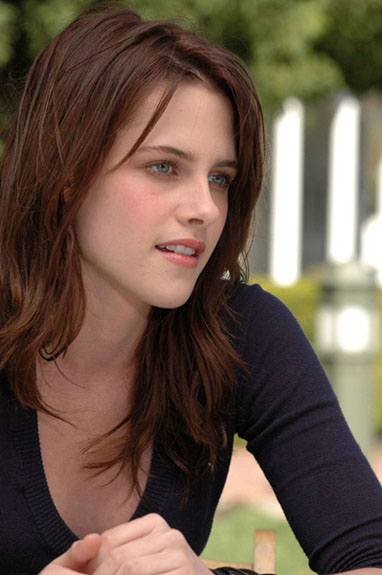
It's imperfect like real vignettes are, the transitions are smoother, my life is filled with sunshine and rainbows. LIFE CHANGING.
Click the launch video button below to view.
Roll over image to see original.

I recently learned a new way to vignette and (this may sound dramatic but true) my life has changed. My photos no longer have that THIS PHOTO HAS A VIGNETTE look that’s so obvious.












15 Responses
Another fantastic piece fo work! Thanks heaps 🙂
@Golfwidow: Thanks! 🙂
ni
[…] Read Full Photoshop Tutorails […]
thanks for this great technique 🙂
Wow! I haven’t had a chance to try this one yet, but it’s definitely next on my photoshopping list!
I watched the video on how to make rounded corners and it was very helpful.
Thanks alot!
Hi, your tutorials are amazing. I would normally spend weeks trying to acheive what you do in a few simple steps. Any chance you can sprinkle your magic dust on gradient maps?
Many thanks x
WOW! That was very helpful, thanks. I LOVE to use vignettes, I do it all the time. This really looks amazing.
The only problem with this photo retouching is that you have added a lot of unwanted detail to her upper chest and neck. If that is avoided or removed then great tut.
Excellent Read! 🙂
[…] from the awesome blog, SpoonGraphics. The only thing I did differently was the vignette, I used my Better Way to Vignette tutorial instead of using the stroke. You could also use Lens Correction to make the vignette. As always, […]
its nice
Thats a good way of full control of the vignette and you can tweak it or bias it towards any side you like. clever!
[…] from the awesome blog, SpoonGraphics. The only thing I did differently was the vignette, I used my Better Way to Vignette tutorial instead of using the stroke. You could also use Lens Correction to make the vignette. As always, […]
That was Awesome!
I love fast and easy!
It seems many tutorials are so complicated with so many steps. Who has the time?
Thanks so much!