


Sometimes you want to chop off those sharp corners for a smoother look, and this is one way to do it. Rounded corners are very popular for things like digital scrapbooking and web layouts. Enjoy!
Click the launch video button below to view.
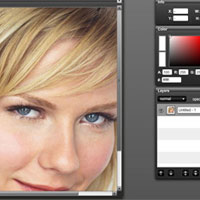
Roll over image to see original.















28 Responses
yay! i’m thrilled that you’re updating more often. Your teaching style is my absolute favorite.
Thank you! 🙂
@Monica: Thank you so much, Monica, for the sweet comment! I’m so happy you like my format.
Is there an option to select the round angles? My rounded rectangle tool looks completely different.
i like the work .It will help me on my website. |I was searching for something creative. I will try it on my website
Regrads
sara
this really worked!!! thank for much for this wonderful tutorial now I shall become the master of photoshop and rule the….graphic world!!! xDDD No, seriously though thanks!!!
<333, S.W.M.N.B.N (shewhomustnobenamed)
Thank you for a long time searching for how to make your photo more lenient, it is very easy and fast way)
Thanks so much! Your tutorials are the clearest I’ve found on the web!
Thanks so much for your tutorials. I am a self taught photoshopper! Many of the books I have want to teach me how to be a master printer in intricate detail. I have picked up enough to know how to work photoshop and now I just want to do things! With your easy tutorials I am doing stuff that is great and if I don’t do it for a while I can go back and look at it again. Fantastic!
Wow… a coworker of mine told me about your site. I think its great how you teach. Thanks…its so much easier to learn by doing. Keep up the great work!! 🙂
Your Comments
Your solution describes 4 rounded edges. How do I create just one rounded edge at the bottom right corner, leaving the other 3 corners untouched, just
like the original….is this very complicated?
Thanks for your help.
Wow… great tutorial ! Thank you large.
Just Awesome! I made a banner for my new site with rounded edges and it was actually a lot easier than I thought (I fear photoshop haha!) will definitely be back to check out more stuff.
Thanks so much! Your tutorials are very clearly
Thanks a lot. Very helpful:)
Don’t know why…. but when I follow the tutorial step-by-step and go to “make a path” (about in the middle of tut.), the “make selection” option in PS is not enabled (I can’t click it). I am using CS5 so don’t know if that makes a difference….
I like the tutorial style… if It works for me 🙂
Wow! What a great tutorial, one of the best for a noob like me. You explain EVERYTHING which is what a lot of tutorials miss for beginners… they assume you already know certain things. THANKS!!!! 🙂
Thanks, just what I needed - simple and to the point. Gosh, Photoshop is harder than I thought, but little by little I’m getting there. Thanks again for the tutorial.
It’s really great stuff overall, I just wanted to say thank you. I am looking forward to another great article from your side.
I really like it! I’ll always appreciate your brief sharing in this awesome stuffs sincerely, this discussion has put light on this topic.
Thanks for the post! It is sure to be very helpful, I was just looking for this info.
It’s really great stuff overall, I just wanted to say thank you. I am looking forward to another great article from your side.
Is there a way to make it go back the way it was… the notification deal appears and disappears and shows up on top of what I am reading. I prefer something less blinky. 🙂
Your Comments
Finally, thank you very much for this tutorial - very helpful! Rounded corners BANG!!!
Of all the tutorials online, this made the most sense! Thank you!
Thank you much for making this simple it helps me edit the pics for our families sites!
very helpful! thanks!
Thank you much for making this simple it helps me edit the pics for our families sites!