Thx a lot for this turtorial, I was going nuts with my own pictures when I tried to make a nice border
Your a life savior and now I just need to train a bit more to get it right
I have seen these and wanted to use them on my own pics, but I never knew how to make them. Thank You! Thank You for this tutorial. Now off to practice!
Just found you site & I am in love with your tutorials!!! My youngest DD (12) is teaching herself Photoshop through online tuts & she is excited about yours as well.
(She is a natural at PS & now has me trembling in her wake as she learns tons of new stuff!) Hopefully I can learn a thing or 2 here & try to keep up with her. LOL!
@Tautchia: Aww thank you you so much for the great compliment, I truly appreciate it! And that is so neat that you and your daughter are learning Photoshop together. You two keep up the good work!
@Pap: Thanks for the comment. I’m happy you liked it!
Awesome! This is EXACTLY what I have been looking for…I recorded an action and this has made my job much less stressful!! Thank you Thank you Thank you
I could not get the ripple effect that you had on yours. I the right and bottom sides were the only sides to have any effect at all. The effect was of tiny little dots - no ocean ripple. Can you tell me what version of photoshop you used or if some other setting is not quite right? I’m wanting to do this effect so bad. thanks for your help
Heya are using WordPress for your site platform? I’m new to the blog world but I’m trying to get started and set up my own. Do you need any html coding knowledge to make your own blog? Any help would be really appreciated!
Find out how long it will take to get out of debt with our debt reduction calculator. … If you tell us when you’d like to pay off the plastic, we’ll tell you what payments …
I have to say these are hands down the best tutorials I have ever come across. My mind is blown right now as to why this is the first time I’ve ever seen this, I have watched SOOOO many Photoshop tutorials before this and I can see so many other applications of adobe captivate as well. This was like 50x more effective then just watching a video, as it incorporates muscle memory as well (moving and placing the mouse is motor skill too! Though it doesn’t seem like it most of the time xD). Anyway, thank you SO much for the wonderful tutorials! :3
- A new (and albeit baffled) admirer of adobe captivate.















31 Responses
Thx a lot for this turtorial, I was going nuts with my own pictures when I tried to make a nice border

Your a life savior and now I just need to train a bit more to get it right
/isa in sweden
Thanks for this tutorial. I am learning digital scrapbooking and this is a fantastic help!
I have seen these and wanted to use them on my own pics, but I never knew how to make them. Thank You! Thank You for this tutorial. Now off to practice!
Thanks for the help! I’m new to Photoshop and it’s a little overwhelming at first!!
Nice outcome, and perfect if you don’t have any grungies ready. Thanks!
@Isa: Thank you so much for the lovely comment! Keep on training, don’t give up.
@Jaccs: Thanks, I’m happy you liked it! I hope to get into digital scrapbooking someday, good luck with it!
@Deb: Thanks, Deb! Happy to help. Happy Photoshopping!
@Sharon: No problem, Sharon! I know, it is difficult, but don’t give up!
@Minty Ferret: Thanks for the comment! Btw, I LOVE ferrets!
Just found you site & I am in love with your tutorials!!! My youngest DD (12) is teaching herself Photoshop through online tuts & she is excited about yours as well.
(She is a natural at PS & now has me trembling in her wake as she learns tons of new stuff!) Hopefully I can learn a thing or 2 here & try to keep up with her. LOL!
Looks Great …
Thanks for this tutorial.
@Tautchia: Aww thank you you so much for the great compliment, I truly appreciate it! And that is so neat that you and your daughter are learning Photoshop together. You two keep up the good work!
@Pap: Thanks for the comment. I’m happy you liked it!
This is one of the best tutorials I’ve ever seen. Thank you very much.
how much time
[...] Grunge borders - Photoshop girl, create grunge style borders using filters, you could even make a brush out of them. [...]
@LaLou: Wow, that’s a nice comment. Thanks! I truly appreciate it. Thanks for commenting!
@Sanjay: Umm, two minutes?
Awesome! This is EXACTLY what I have been looking for…I recorded an action and this has made my job much less stressful!! Thank you Thank you Thank you
photoshopgirl.com : : Grunge Borders…
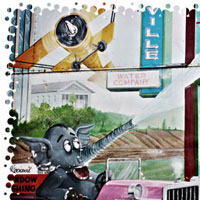
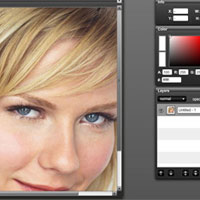
Today I am going to show you how to make two different grunge border effects without having to use grunge brushes.
Click the Launch Video button below to view….
i love this web sit!!!!!!!!!
hay whats up if ur look in 4 a girl im ursss!!!!!!!
I could not get the ripple effect that you had on yours. I the right and bottom sides were the only sides to have any effect at all. The effect was of tiny little dots - no ocean ripple. Can you tell me what version of photoshop you used or if some other setting is not quite right? I’m wanting to do this effect so bad. thanks for your help
i am having the same problem as “digid”
i am working with a HIGH-res (300 DPI) PDF format for a record cover. i am trying to put this grunge border effect to the image
its one of my final step. i cant leave the image un touched like it is.
the ocean ripple effect is acting retarded. so id love some help.
btw tutorials are great, i like the interactive aspect you come with.
thank you.
it’s ok .thanks
but i need more more effects ….I just wanted to some other
website for learning photoshop site ..
can you please forward to me…
regarding
santzink
thanks very much, this was very helpful
[...] kind of combined a few tutorials with this one. I used this for the boarder http://photoshopgirl.com/01/23/grunge-borders/ i used this one for Jess [...]
hai
[...] Grunge borders – Photoshop girl, create grunge style borders using filters, you could even make a brush out of them. [...]
Love the tutorials… wish I had full Photoshop so I could do these things…only have Elements 8.
Heya are using WordPress for your site platform? I’m new to the blog world but I’m trying to get started and set up my own. Do you need any html coding knowledge to make your own blog? Any help would be really appreciated!
work out in order to firm the abdominal muscles which have a tendency to come to be ugly
Cool sites…
[...]we came across a cool site that you might enjoy. Take a look if you want[...]……
Find out how long it will take to get out of debt with our debt reduction calculator. … If you tell us when you’d like to pay off the plastic, we’ll tell you what payments …
Great tutorial! Thanks for taking the time to make it. I love grungy photos.
I have to say these are hands down the best tutorials I have ever come across. My mind is blown right now as to why this is the first time I’ve ever seen this, I have watched SOOOO many Photoshop tutorials before this and I can see so many other applications of adobe captivate as well. This was like 50x more effective then just watching a video, as it incorporates muscle memory as well (moving and placing the mouse is motor skill too! Though it doesn’t seem like it most of the time xD). Anyway, thank you SO much for the wonderful tutorials! :3
- A new (and albeit baffled) admirer of adobe captivate.