
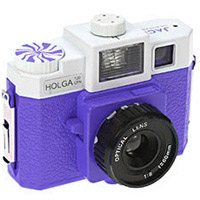

And it's an easy process. We'll be using Hue/Saturation for this and you'll have a bit of fun experimenting with this one.
Click the launch video button below to view.
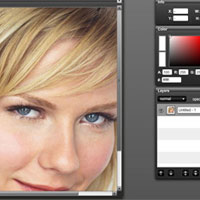
Roll over image to see original.


Tip: In the tutorial I show how to use the Hue and Saturation sliders to get whatever hue you want and how to prevent clipping. But you can also use the Lightness slider below the Hue and Saturation sliders in the dialogue box to get a darker or lighter version of the hue you want.





8 Responses
Great tutorial, should be basic, really dno if it is.. easy and great tutorial, great explained too.. didnt knew of this actually, thanx
Thanks for taking the time to make a video. I learn things so much easier by watching someone else do it.
How to Change the Color of Something in an Image - photoshopgirl.com…
Need to change the color of someone’s shirt so it’s more flattering? Want to change those blue web icons to pink? Admit it, it’s your favorite color! Well worry no more, this tutorial is here to solve that problem. And it’s an easy process. We…
How to Change the Color of Something in an Image - photoshopgirl.com…
Need to change the color of someone’s shirt so it’s more flattering? Want to change those blue web icons to pink? Admit it, it’s your favorite color! Well worry no more, this tutorial is here to solve that problem. And it’s an easy process. We…
Hey 911,You’re article is great. ,
I’m trying to change the color of a pair of shoes, and I’ve gone through your video eight times and I’m still missing something. I get stuck when you talk about the eyedropper tool. I change the color to something other than Master, yet when I click on the eyedropper, I don’t get a different result, like you got the Red 2 result.
Hi,
This post is nice and the video I really like it. I’m really learning a lot from this blog. Thanks a lot.
Hmm but if I change the Hue, the color would change and get saturated?